Payouts

Payouts

If you need to send funds from your account directly to someone's card, the Send payment feature lets you do that manually in your account, or automatically via our API. Note that automatic payout via API is locked by default. To unlock it, please contact our support in the chat.

cardlink.link allows you to send funds from your account to a credit or debit card. You can send funds to cards of your clients, freelancers or staff.
Manual Payout

  1. Press the Send payment button at the top of your account.
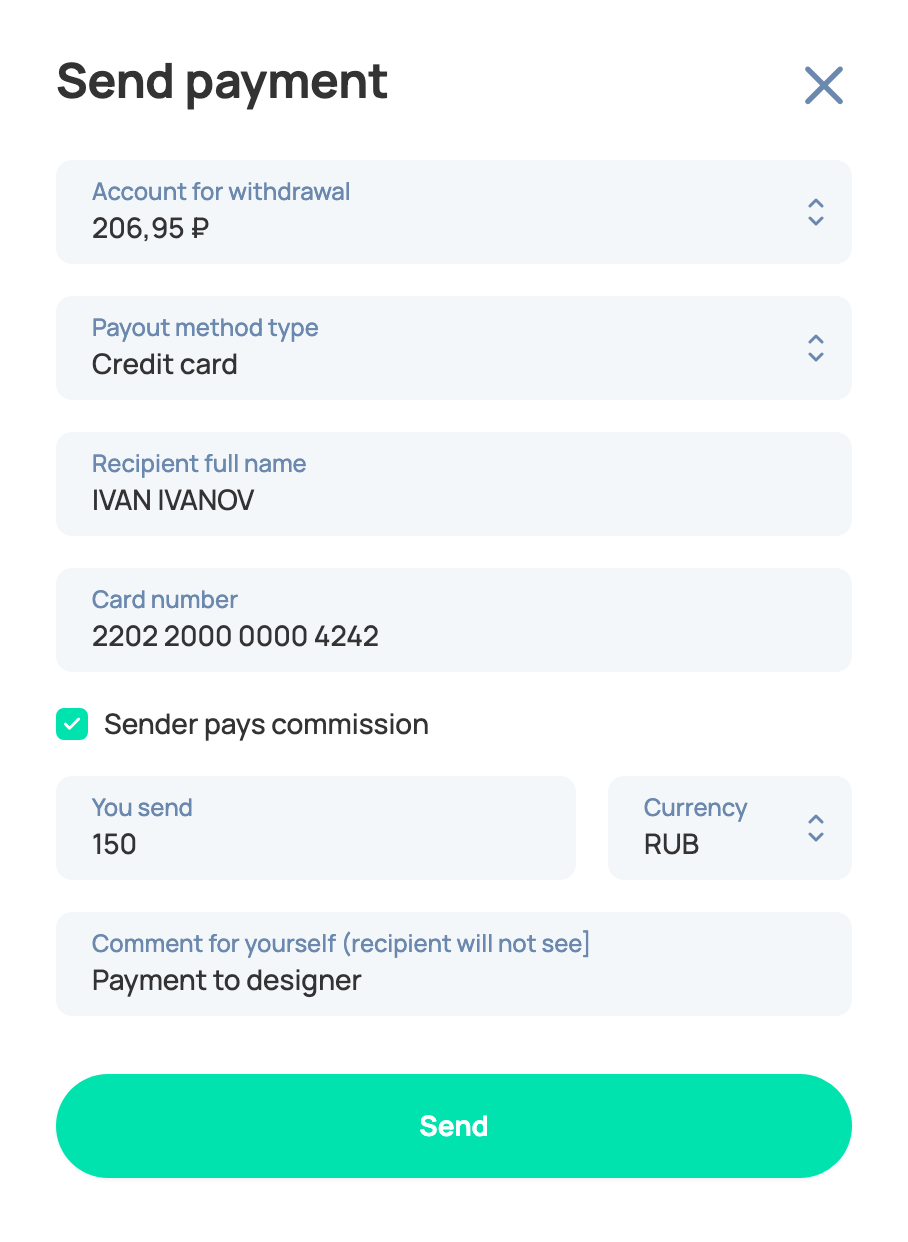
  2. Fill out the fields in the side menu:
  • Account for withdrawal — the balance the payment is sent from. It shows the available amount; you can't send more than this value.
  • Payout method type — how the funds are sent, for example Credit card. The fields below depend on the chosen type.
  • Recipient full name — the first and the last name of the recipient, the way it's typed on the card.
  • Card number — the full card number of the recipient.
  • Sender pays commission — check it if you pay the payout fee instead of the recipient.
  • You send and Currency — the payout amount and currency.
  • Comment for yourself (recipient will not see) — just a memo to know what the payment was for, that only you will see.

3. After you press Send, the payout request is sent to our team, and after the review of your request we will approve it. In some cases we can contact you for additional details.

Sent payouts

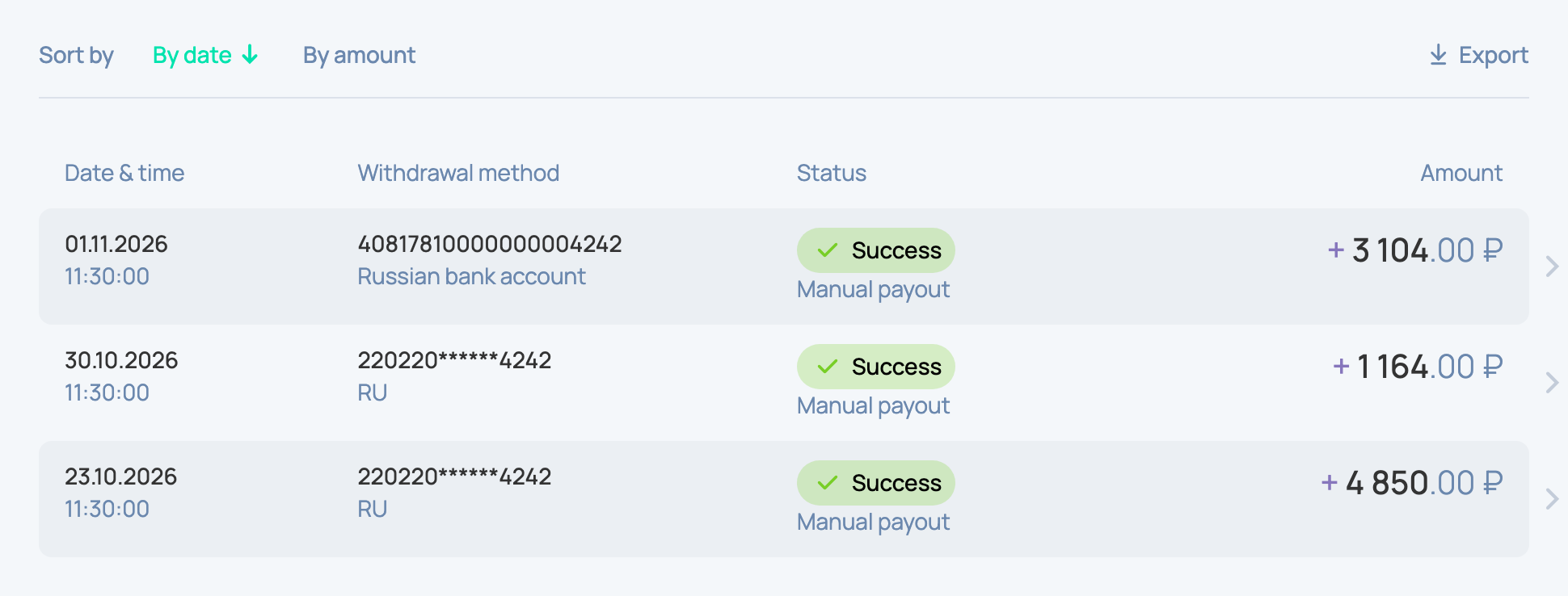
All the payouts you've ever sent are listed on the first tab of the Withdrawal section with their date, withdrawal method, status and amount. Click a payout to see its details. You can filter the list, for example by Payout type, and download it with the Export button.

This action is irreversible

Do you have questions about your payment?

We will help you deal with this payment. Please fill out the form and we will answer you within 48 hours.

or drag and drop file

Uploading file...